Description
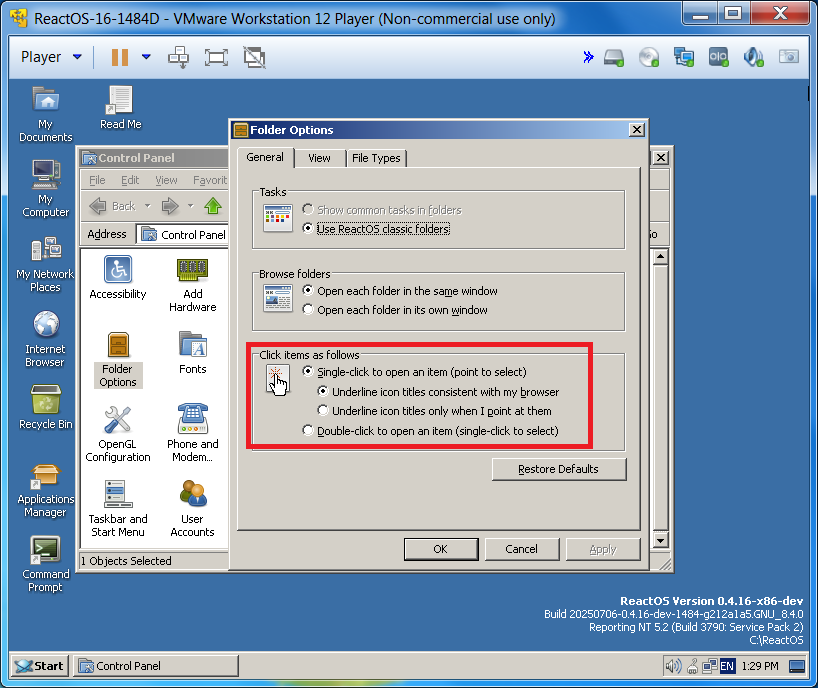
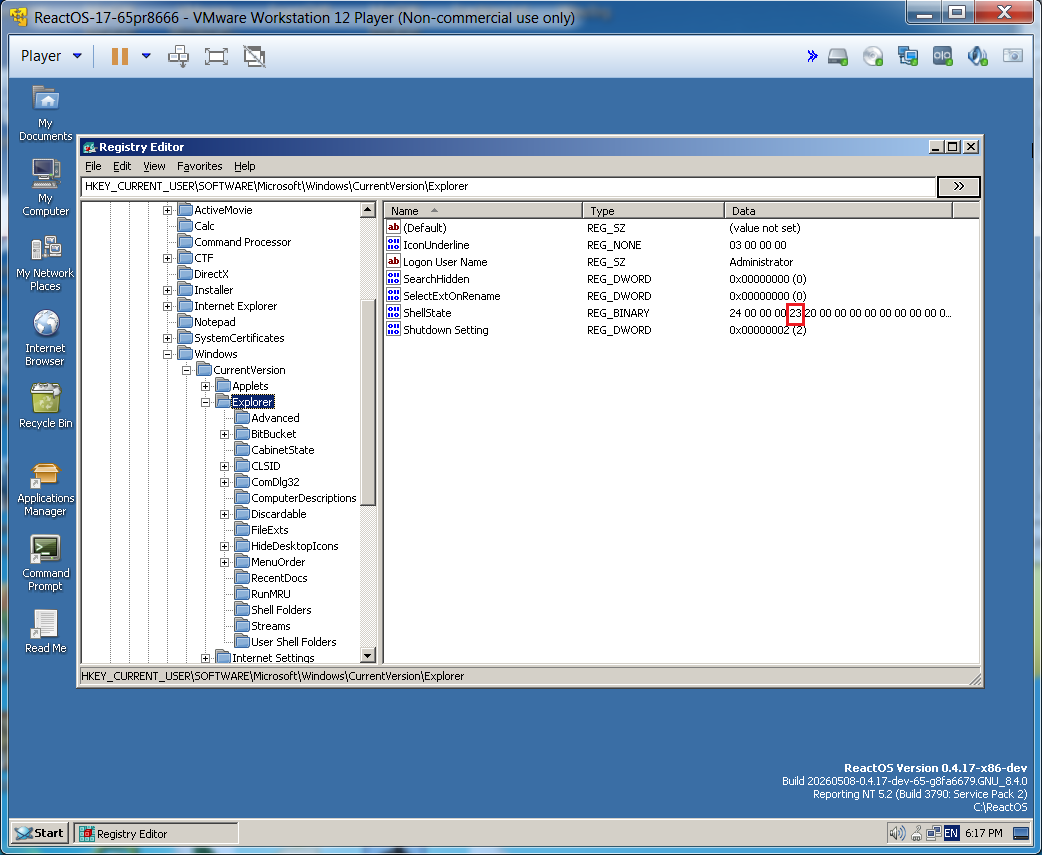
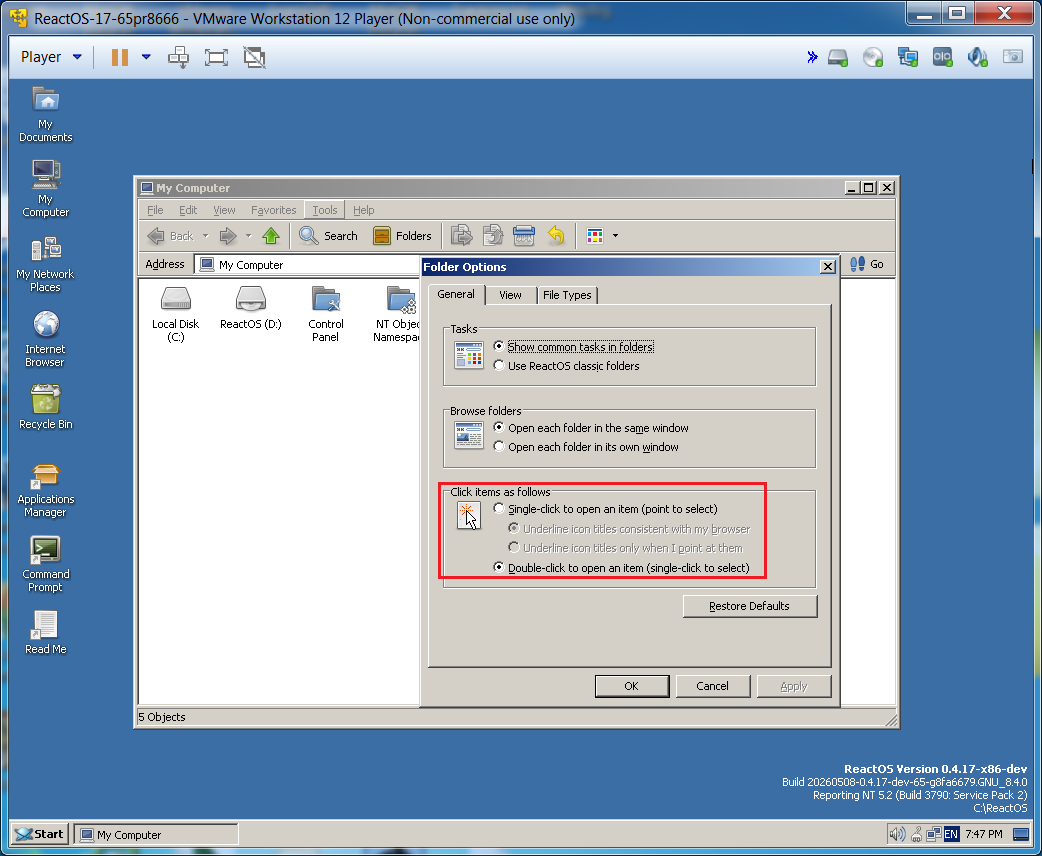
Twice in the last year I have created a new ReactOS Virtual Machine and when I clicked twice on the desktop icon for the "Command Prompt" two windows were opened. I tracked this with some help to a selection in the Explorer "Tools | Folder Options..." dialog. When I opened the dialog and looked at the "General" tab under the "Click items as follows" entry, I saw that the radio button for "Single-click to open an item..." was selected instead of the "Double-click to open an item...". I tracked this down to a setting in the registry called "ShellState" which is a binary value. It is not initialized after an install and the system uses uninitialized memory to determine its state, so it can be random.
This needs to be initialized when loading ReactOS and I have created a patch to do so. I intend to create a PR soon.
Here is the patch: HKCU_Explorer_ShellState-fix-03.patch .
.
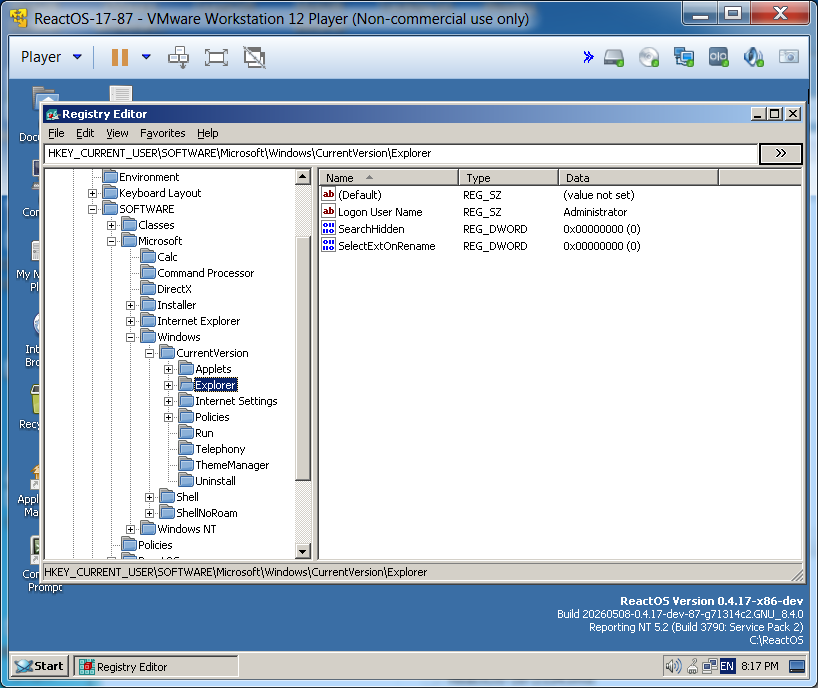
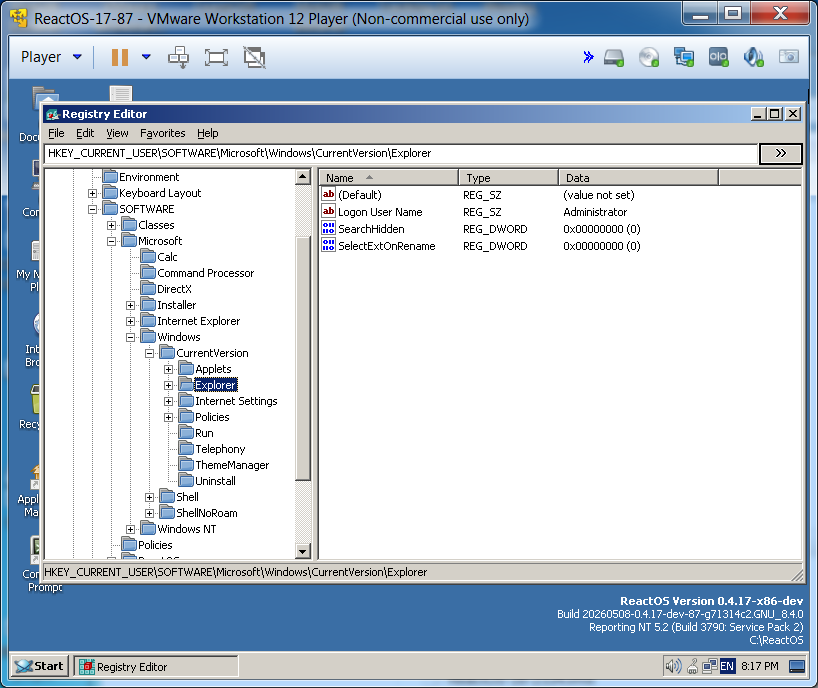
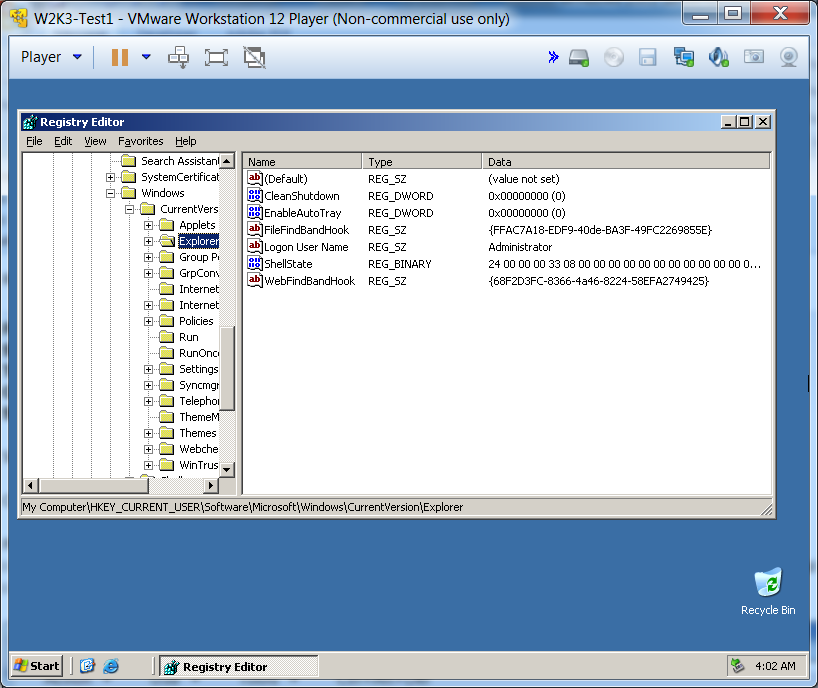
Here is the registry immediately after a new install showing the missing registry entry.
Here is the normal place that this entry is read and set in Explorer:
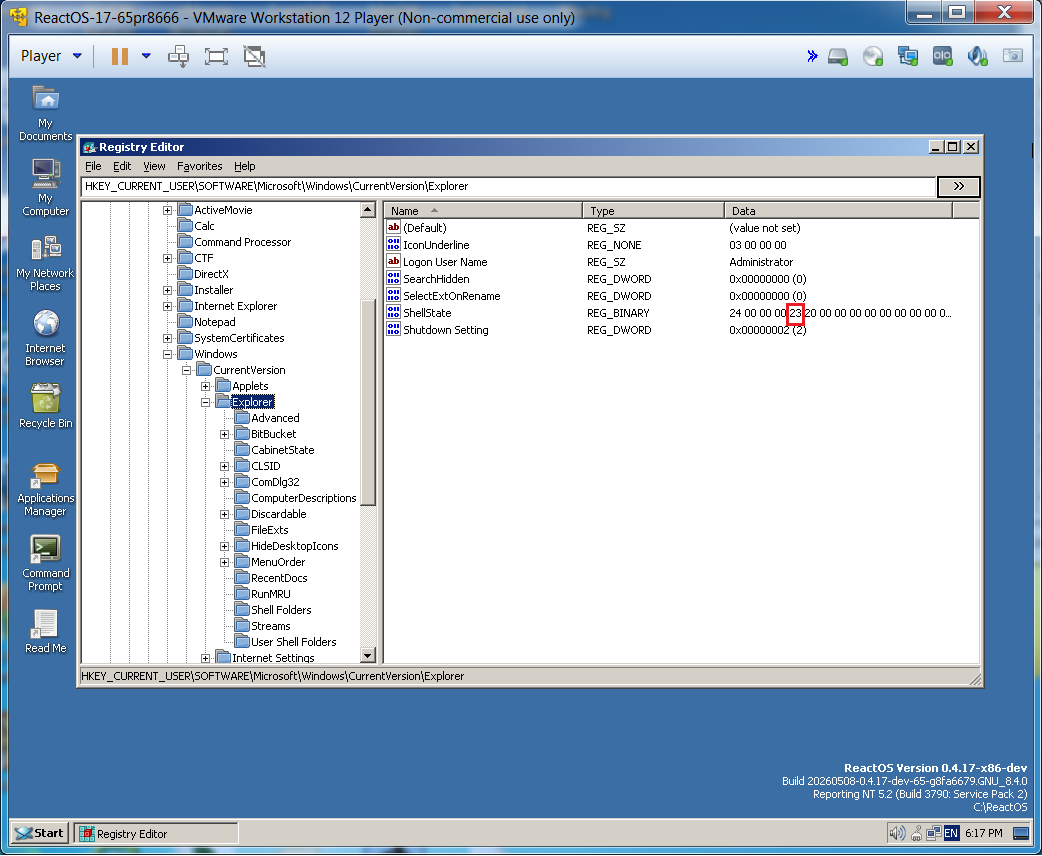
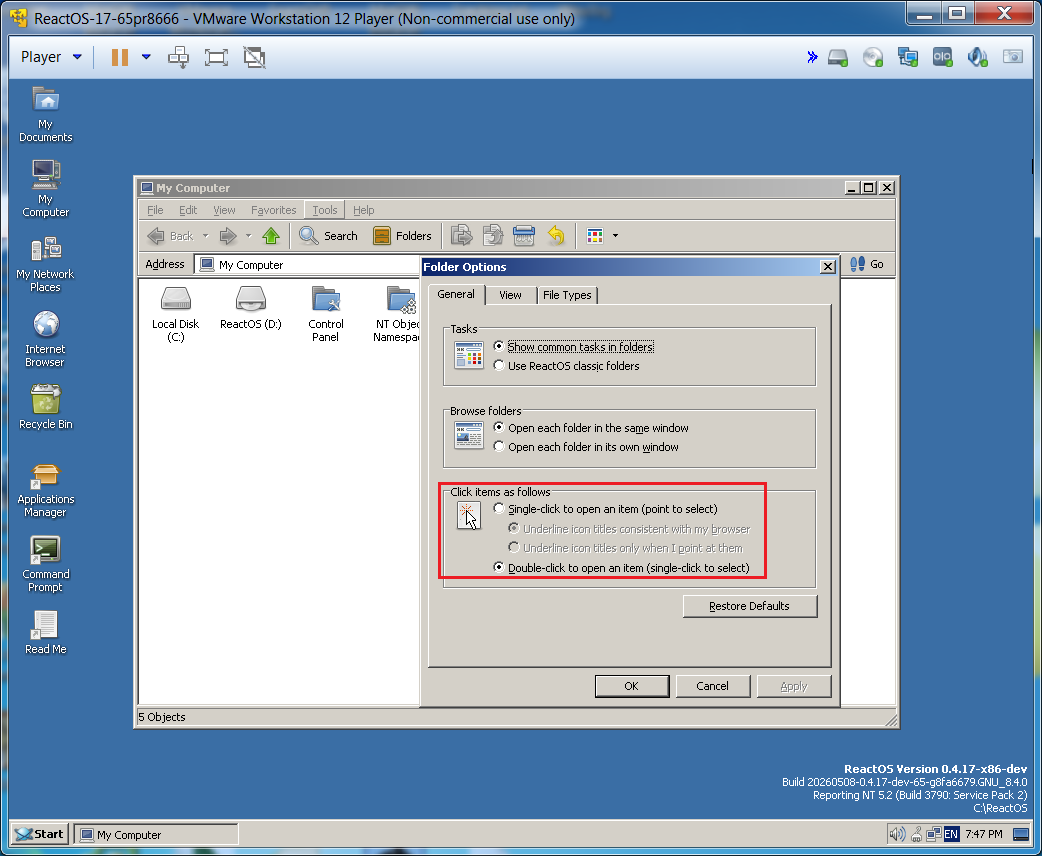
Unfortunately, there is no consistent way to reproduce this of which I am aware. It happened to me the first time 07-Jul-2025.
I downloaded reactos-bootcd-0.4.16-dev-1484-g212a1a5-x86-gcc-lin-dbg.7z from https://www.reactos.org/getbuilds.
I extracted the ISO and built as usual in VMware using defaults. When I clicked on any desktop icon, it was executed as if I had double-clicked on it. I started a DM with whindsaks because he was responsible for the changes in this revision.
I asked him if he could reproduce this and he said that he was not able to do so. He suggested that I look at
"folder settings in control panel and check if you have single click mode turned on". When I checked this it was on.
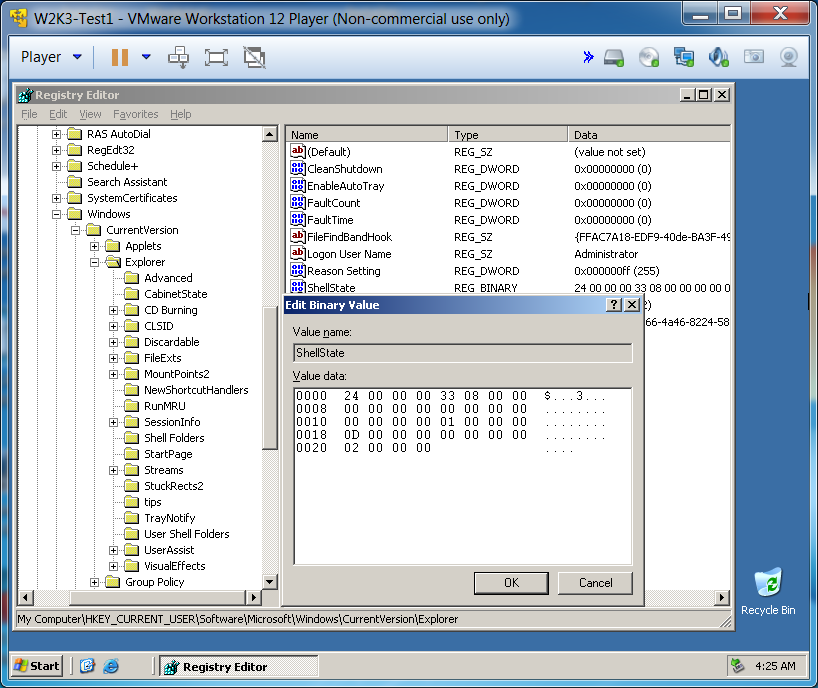
I captured a screen shot as you can see here:
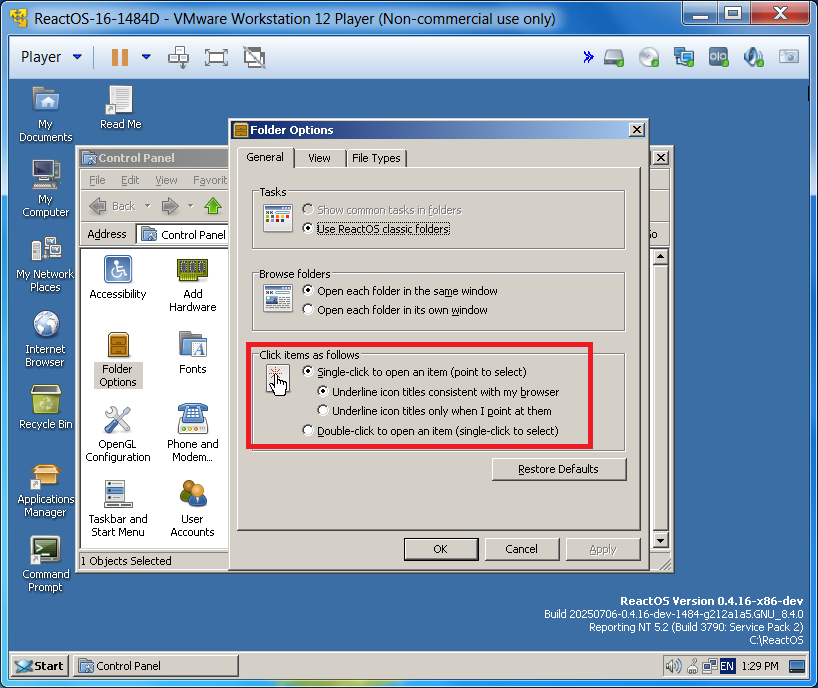
After testing more, I found that this was not repeatable and have not seen it again until the last week as I have documented here.
Attachments
Issue Links
- is blocked by
-
CORE-12822 SHELLSTATE structure is wrong, old, incompatible
-

- Resolved
-