Details
-
Bug
-
Resolution: Unresolved
-
 Major
Major
-
None
-
None
-
None
Description
Hello,
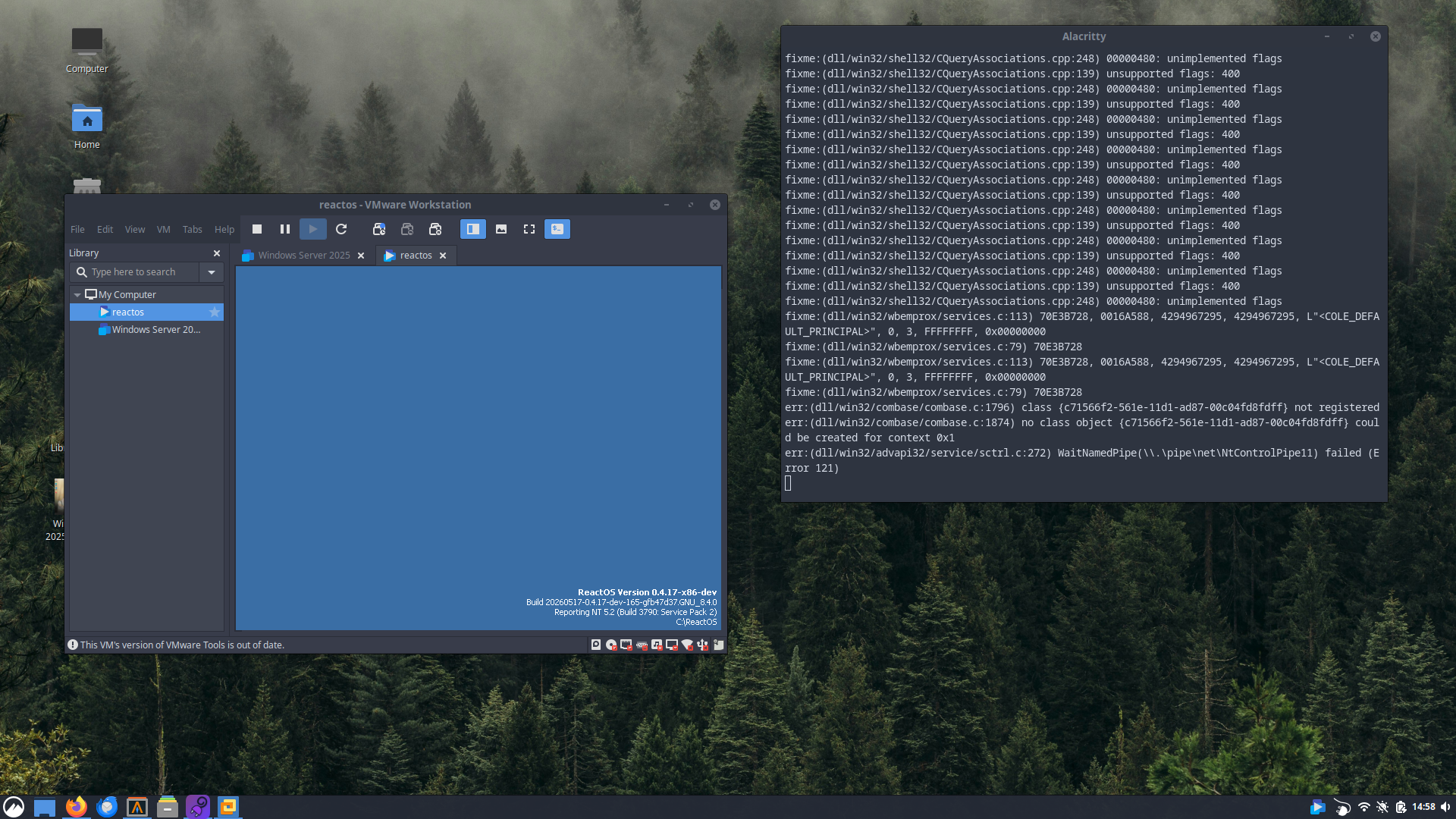
I installed VMWare Tools 10.0.0 on a ROS-Nightly VM and it initially boots and plays the startup sound after a restart, but the Explorer fails to load and the OS fails to process the "Ctrl-Alt-Del" command.
VM Configuration:
1 CPU core
1GB Ram
16GB HDD
ReactOS Nightly (fb47d37 revision)
VMWare Tools 10.0.0
VMWare Workstation 26H1
Steps to reproduce :
1. Download VMWare Tools 10.0.0 ISO from the official Broadcom site : https://packages-prod.broadcom.com/tools/releases/10.0.0/windows/VMware-tools-windows-10.0.0-3000743.iso
2. Insert ISO image into VM after installing ReactOS, and proceed with the installation
3. Restart the VM through the application or the start menu. Attempt to invoke the "Ctrl-Alt-Del" key combination.