Details
-
Bug
-
Resolution: Duplicate
-
 Major
Major
-
None
-
None
Description
When installing ROS 0.4.16 release on real hardware using the text based setup everything is normal, after 2nd reboot ROS starts without login. (I did not set an admin password.)
However, when using the new graphical 1st stage setup, then after the second reboot I am greeted with an error and the following cadence:
- An error is shown: "ReactOS could not load the locally stored user profile. Possible causes of this error include insufficient security rights or a corrupt local file. Error 2" After 30s or button press it vanishes.
- I see a dialog box reading "Press Ctrl+Alt+Del". Okay, I do that.
- Then a login dialog appears. The username "Administrator" is already filled in, and the password field is blank—which makes sense, since I didn't set one.
- When I confirm the dialog, a small new window appears saying "Loading your personal settings..." with a progress bar, but it never finishes. Behind it
 , there is again the error message: "ReactOS could not load the locally stored user profile. Possible causes of this error include insufficient security rights or a corrupt local file. Error 2". It can be brought to top
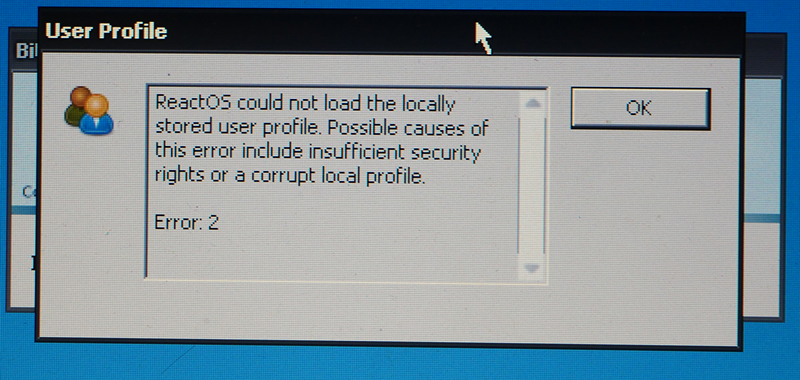
- If I click OK on that dialog, I end up back at the start: "Press Ctrl+Alt+Del".
I simply cannot past the login because of issues initializing the user profile.
Attachments
Issue Links
- duplicates
-
-
- Untriaged
-