Description
1. Start Total Commander (8.51a)
2. Create file "a" (type "echo 123>a")
3. Create file "b" (type "echo 1234>b")
4. Copy file "a" over file "b" (Put cursor to "a", Press F5, replace "c:\a" with "c:\b", Press Enter)
5. In replacement dialog press Enter (or "Overwrite" button).
Nothing happens, dialog reappears.
ros_total_overwrite.png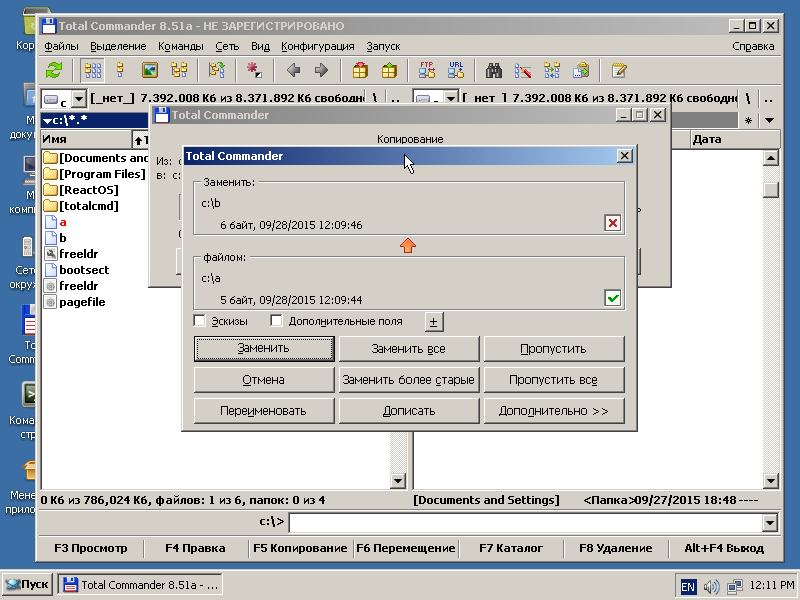
There are nothing interesting in debug log.
Attachments

Issue Links
- is duplicated by
-
CORE-20647 ReactOS 0.4.17: Total Commander repeatedly prompts for file overwrite, causing it to get stuck
-

- Resolved
-